

Start Agent Creation
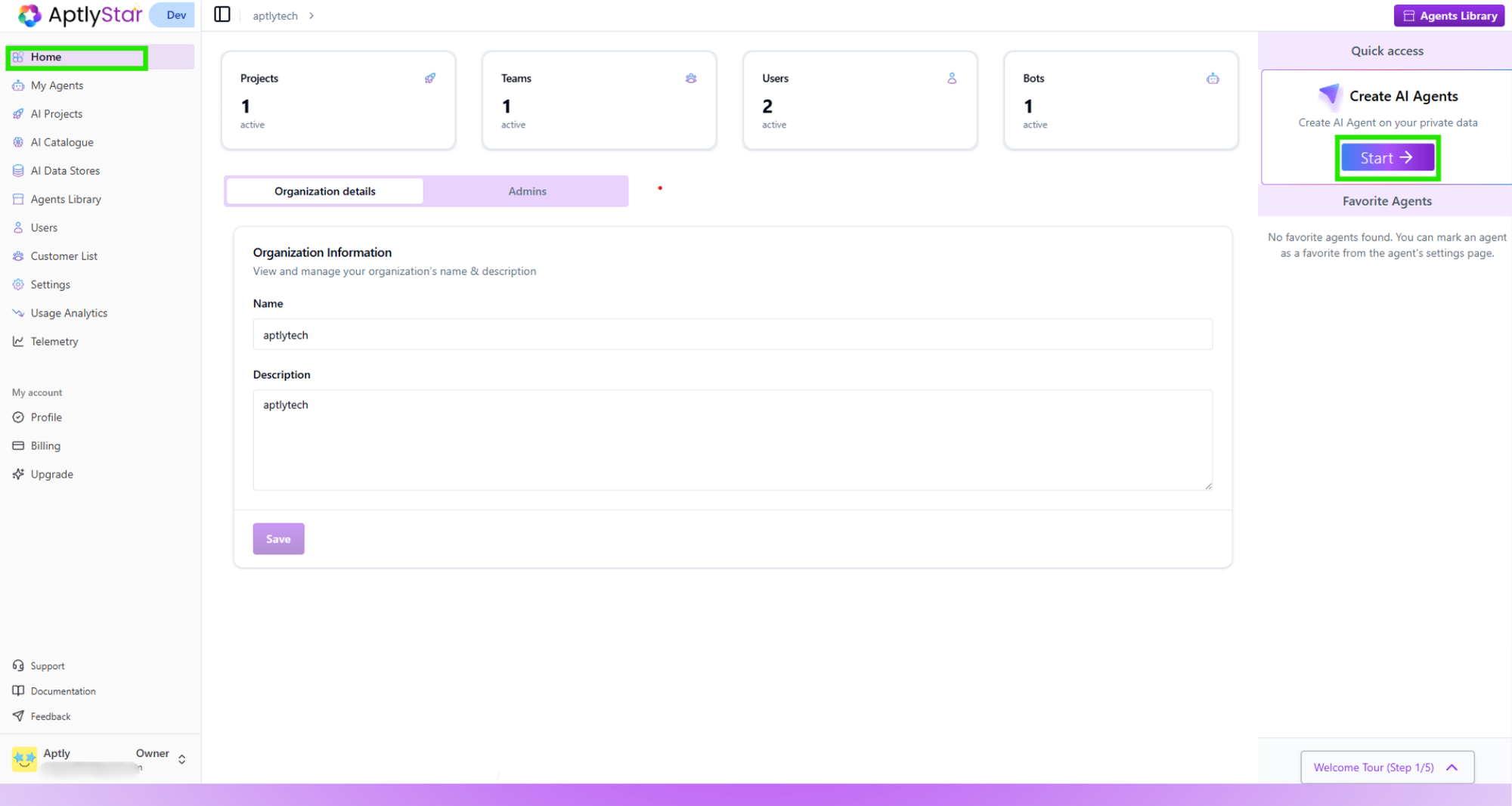
Organization Home
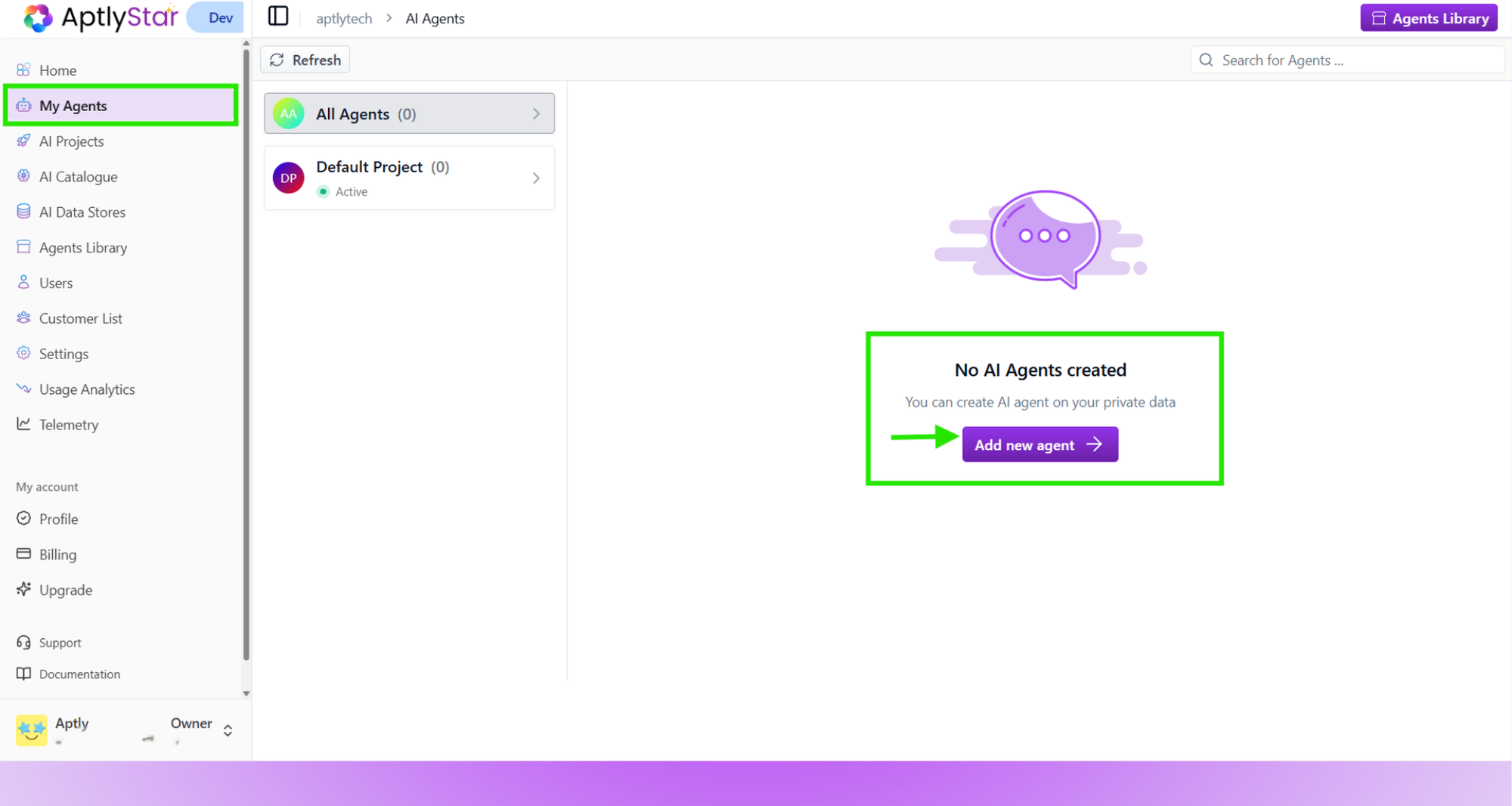
My Agents: Add New Agent
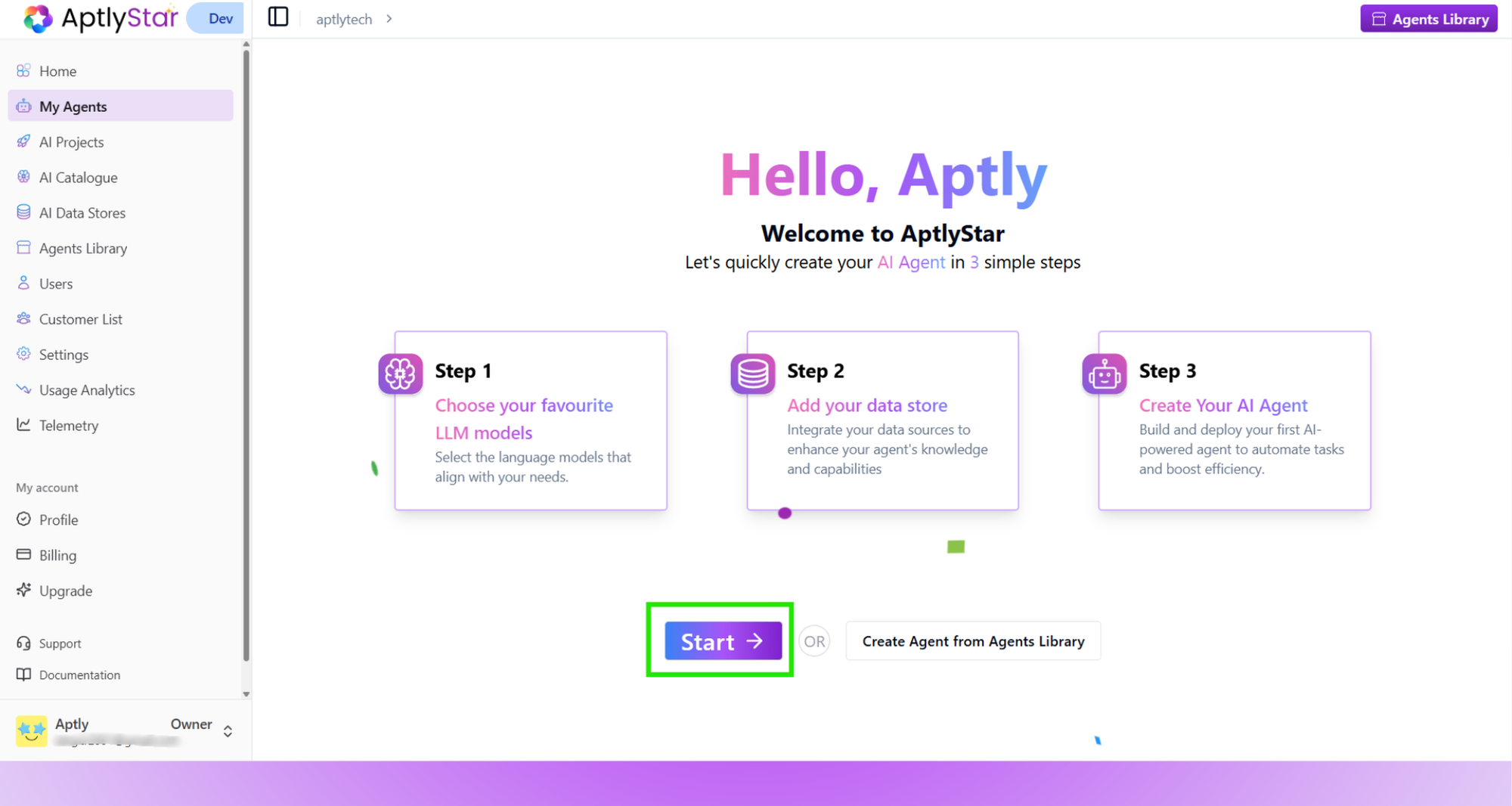
My Agents: Guided Agent Creation Flow
Step 1: Add LLM & Embedding Models
- Click Add AI model and choose a supported LLM (e.g., GPT-4o).
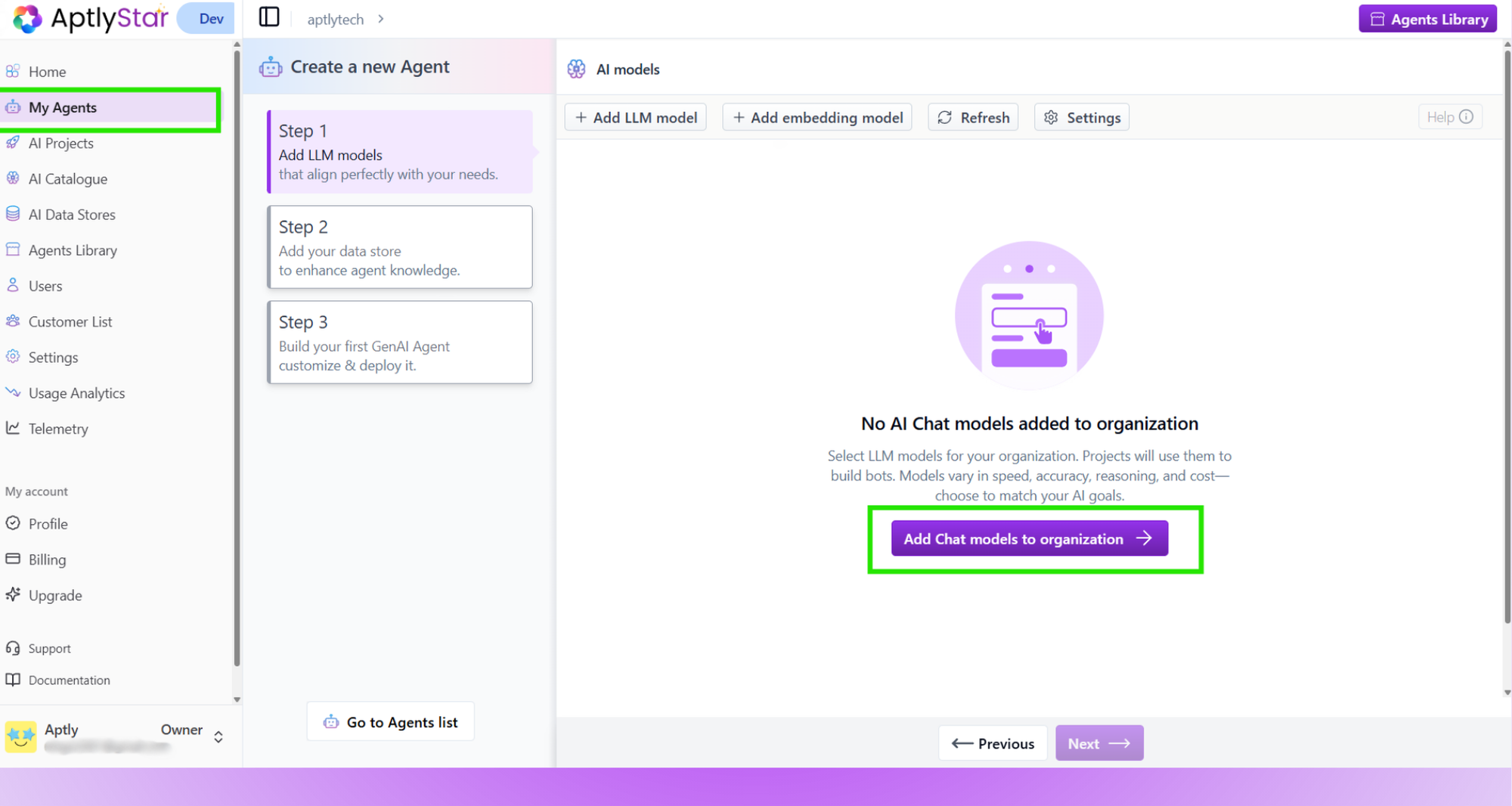
Create AI Agent: Step 1
- Use the filters at the top of the selection modal to refine results:
- Provider Filter – show models from a specific provider (e.g., OpenAI, Anthropic, Azure)
- Capability Filters – such as Image Analysis, to quickly find multimodal models that support vision tasks
- Select one or more models from the filtered list
- Click Add to org to complete
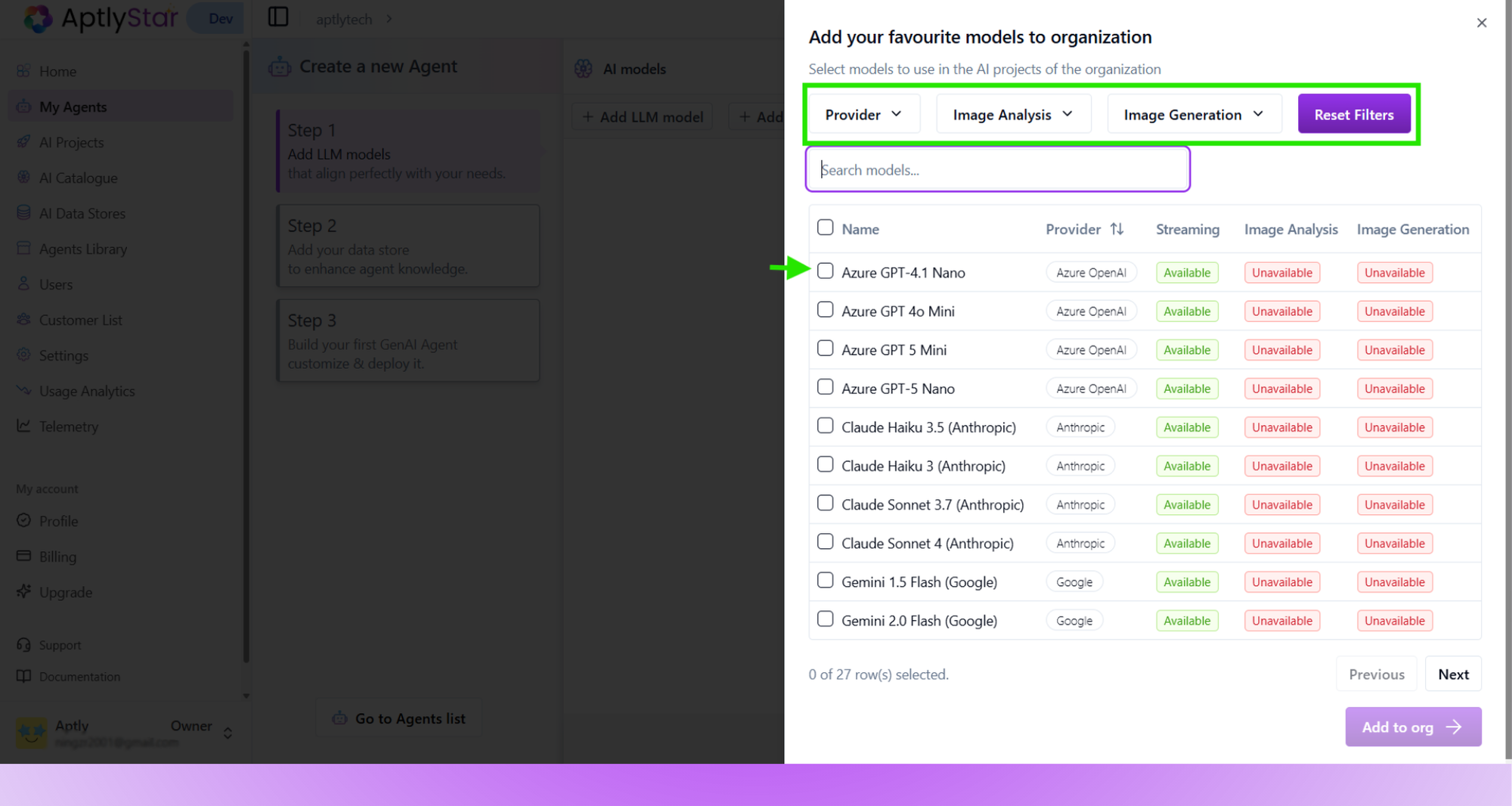
Create AI Agent: Add LLM Models
- Switch to the Embedding Models tab and click Add embedding model.
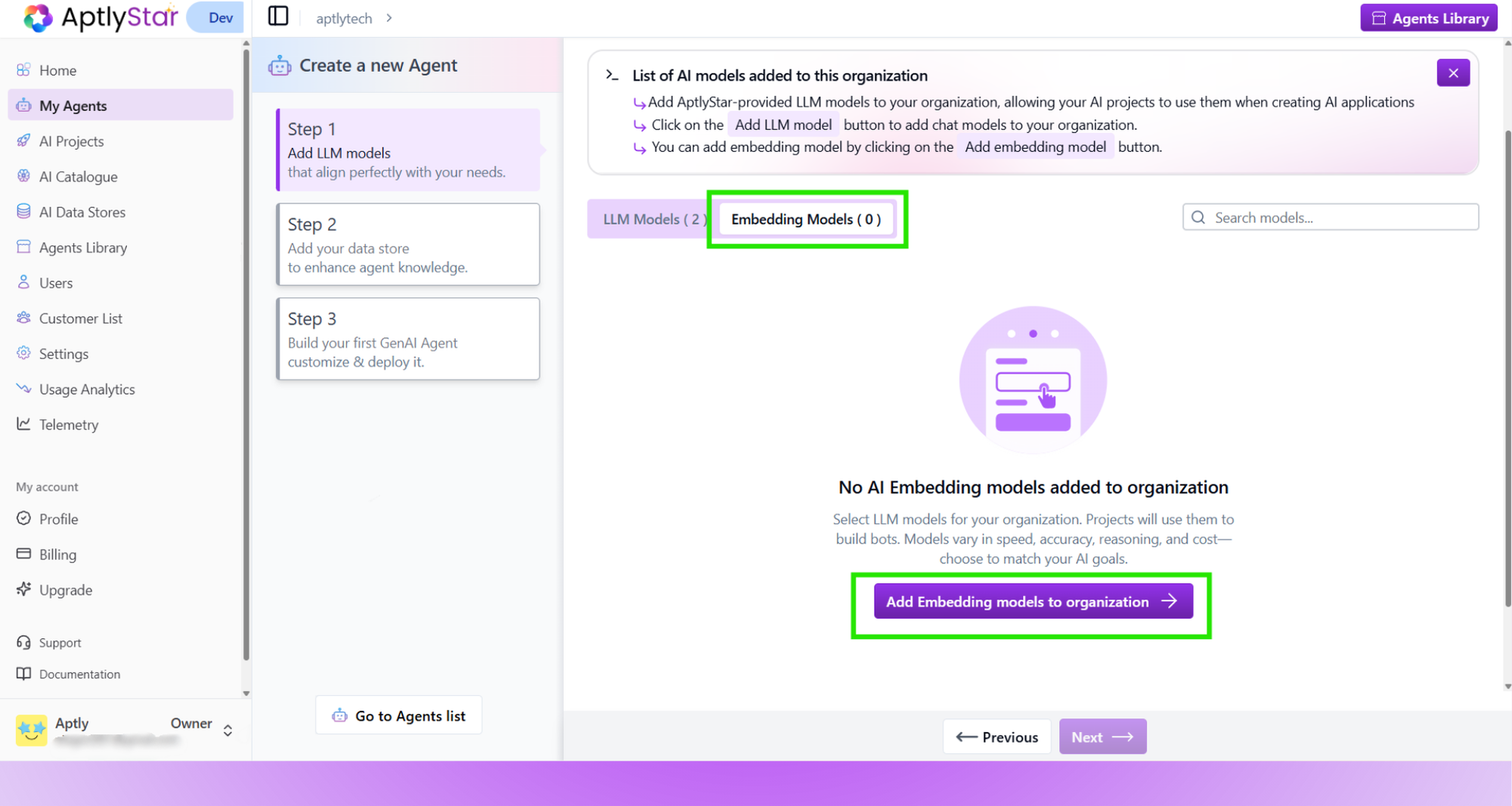
Create AI Agent: Add Embedding Models
- Choose a model like
text-embedding-3-largeand add it to your org.
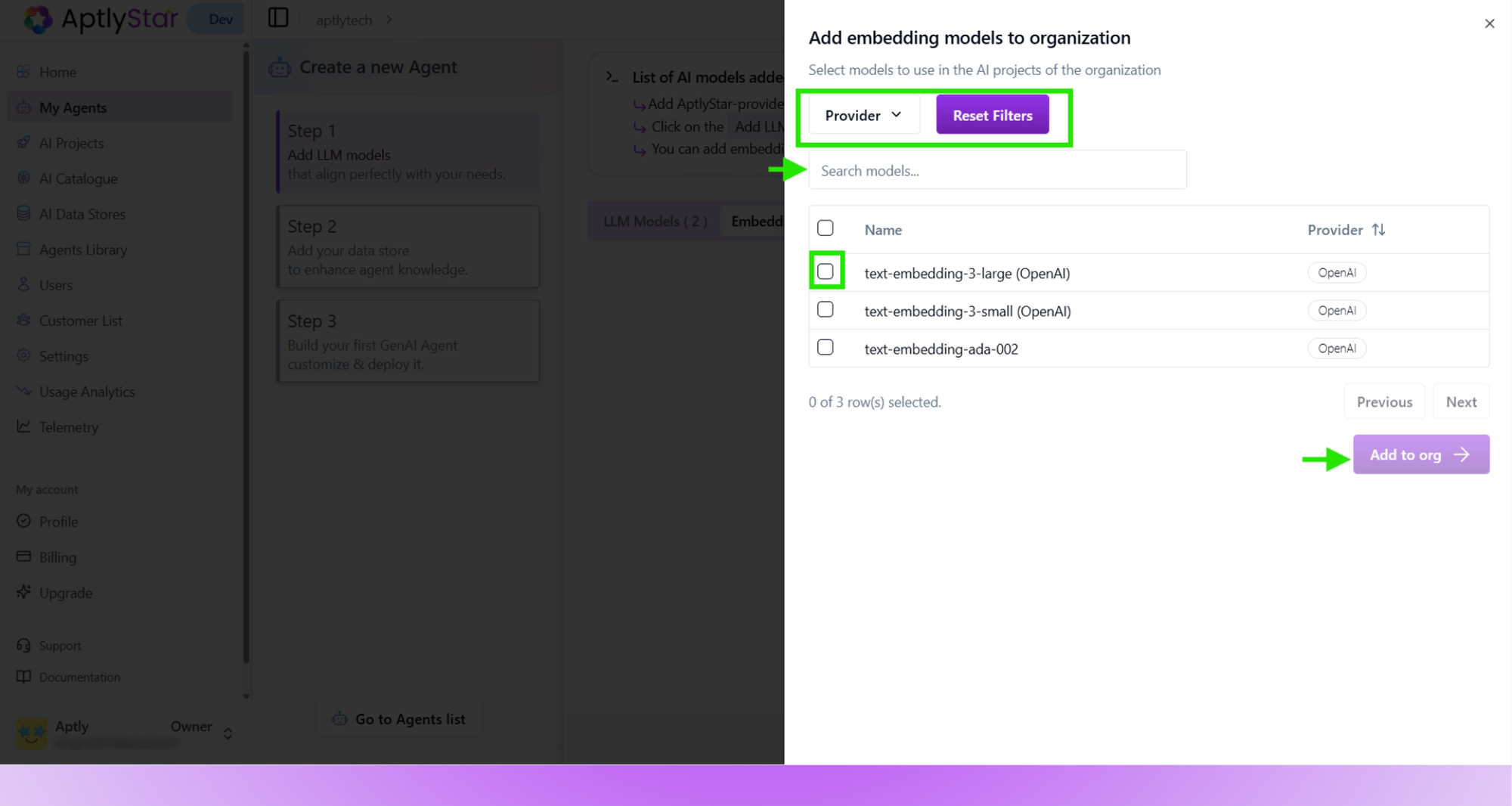
Create AI Agent: Select Embedding Model
- Ensure a model is selected before moving to the next step. Click Next to proceed to Step 2.
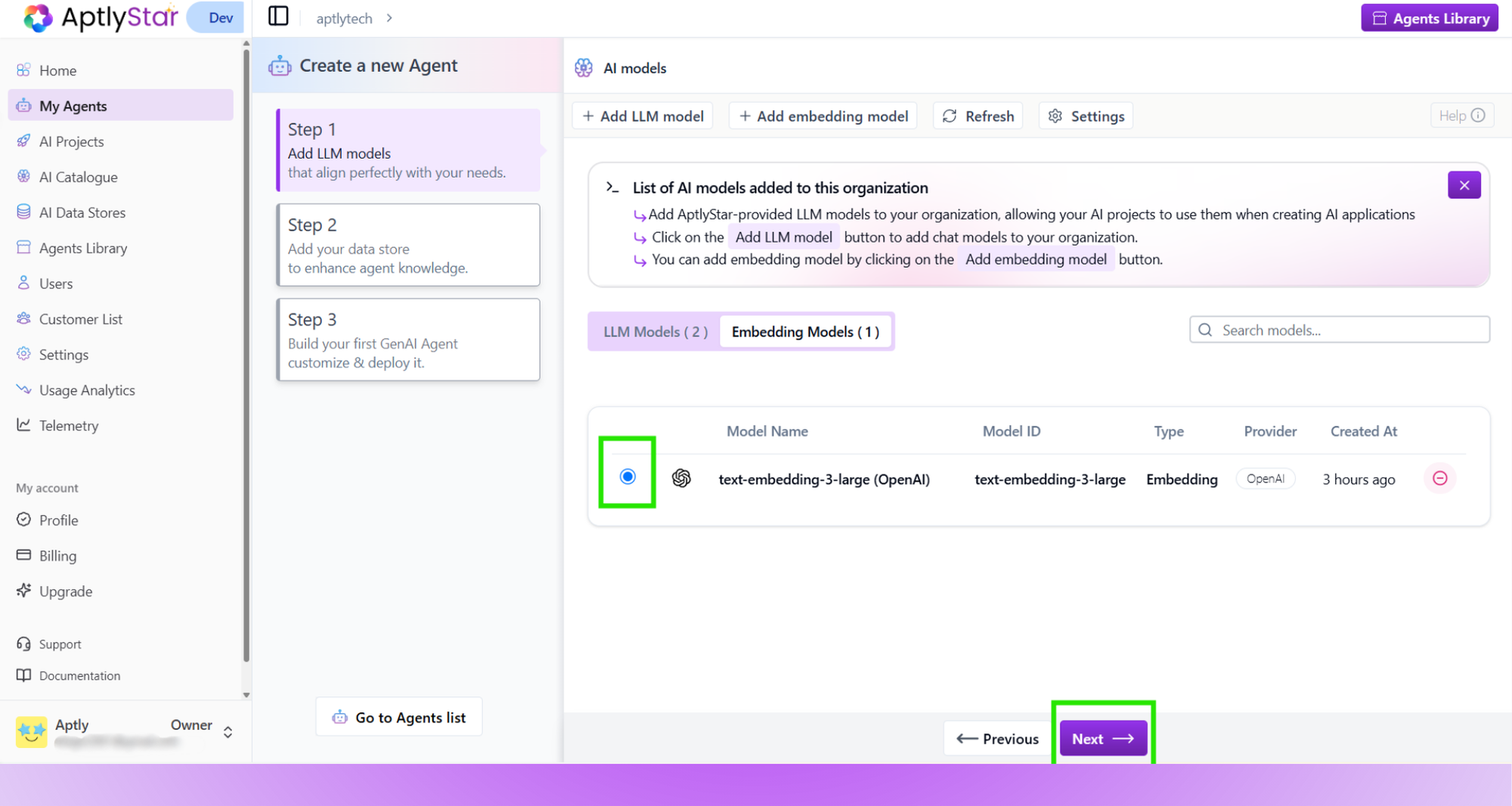
Create AI Agent: Confirm Embedding Selection
Step 2: Create and Upload Data Store
- Click Go to data store to upload data.
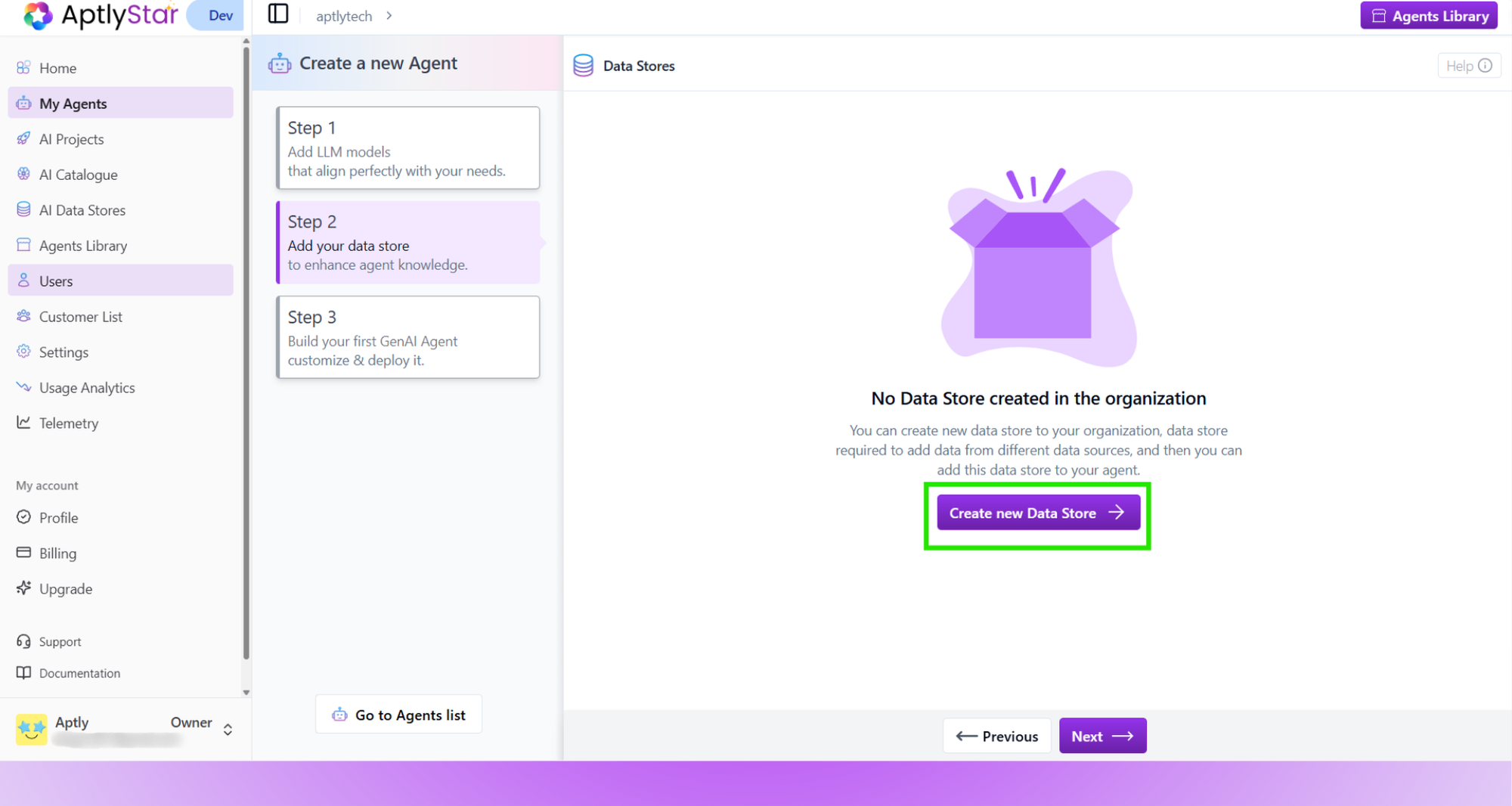
Create AI Agent: Upload Training Data
- Click Create new Data Store and fill in the details including the embedding model.
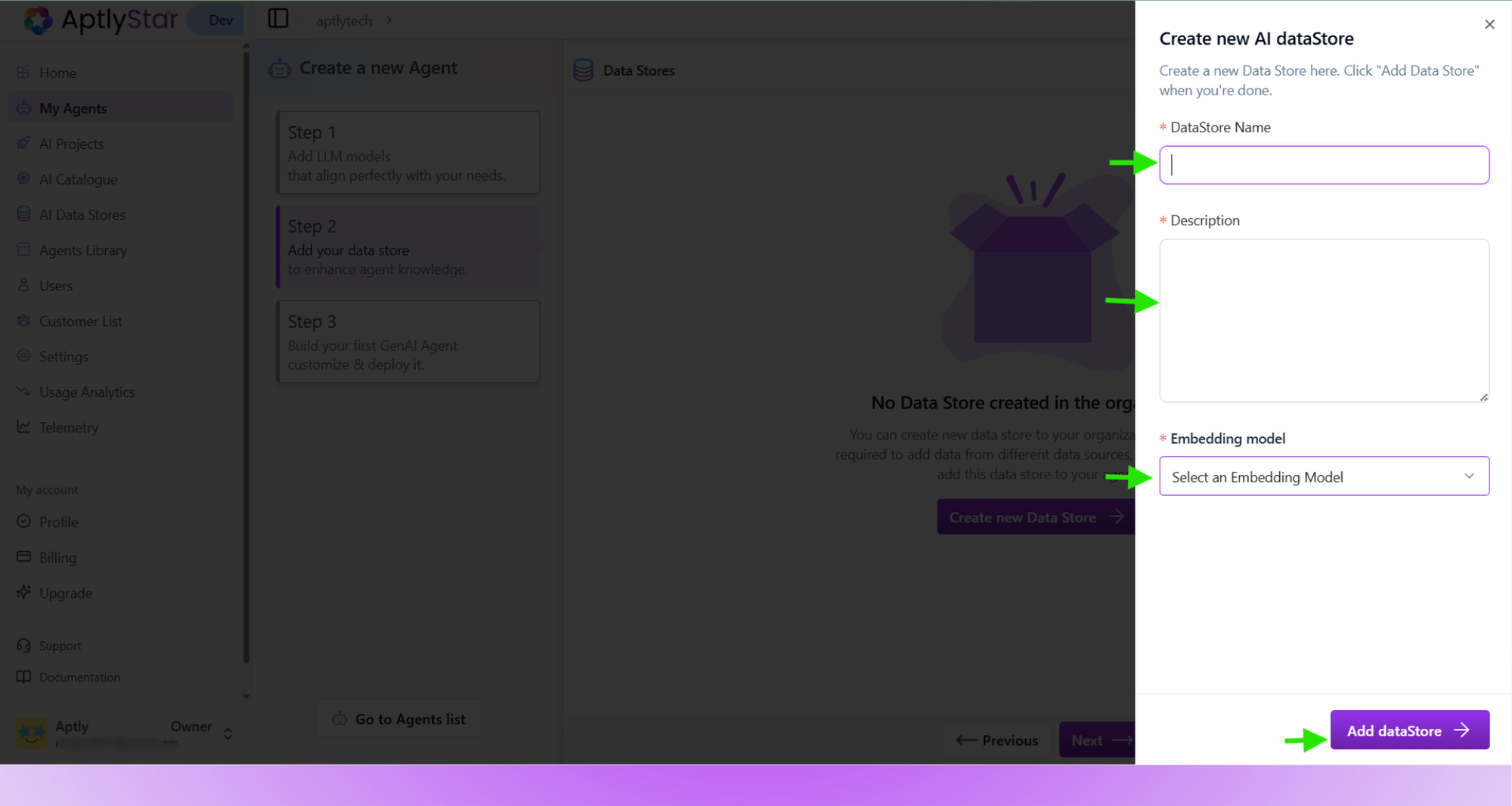
Create AI Agent: Create New Data Store
- Once created, click Upload data to this Data Store.
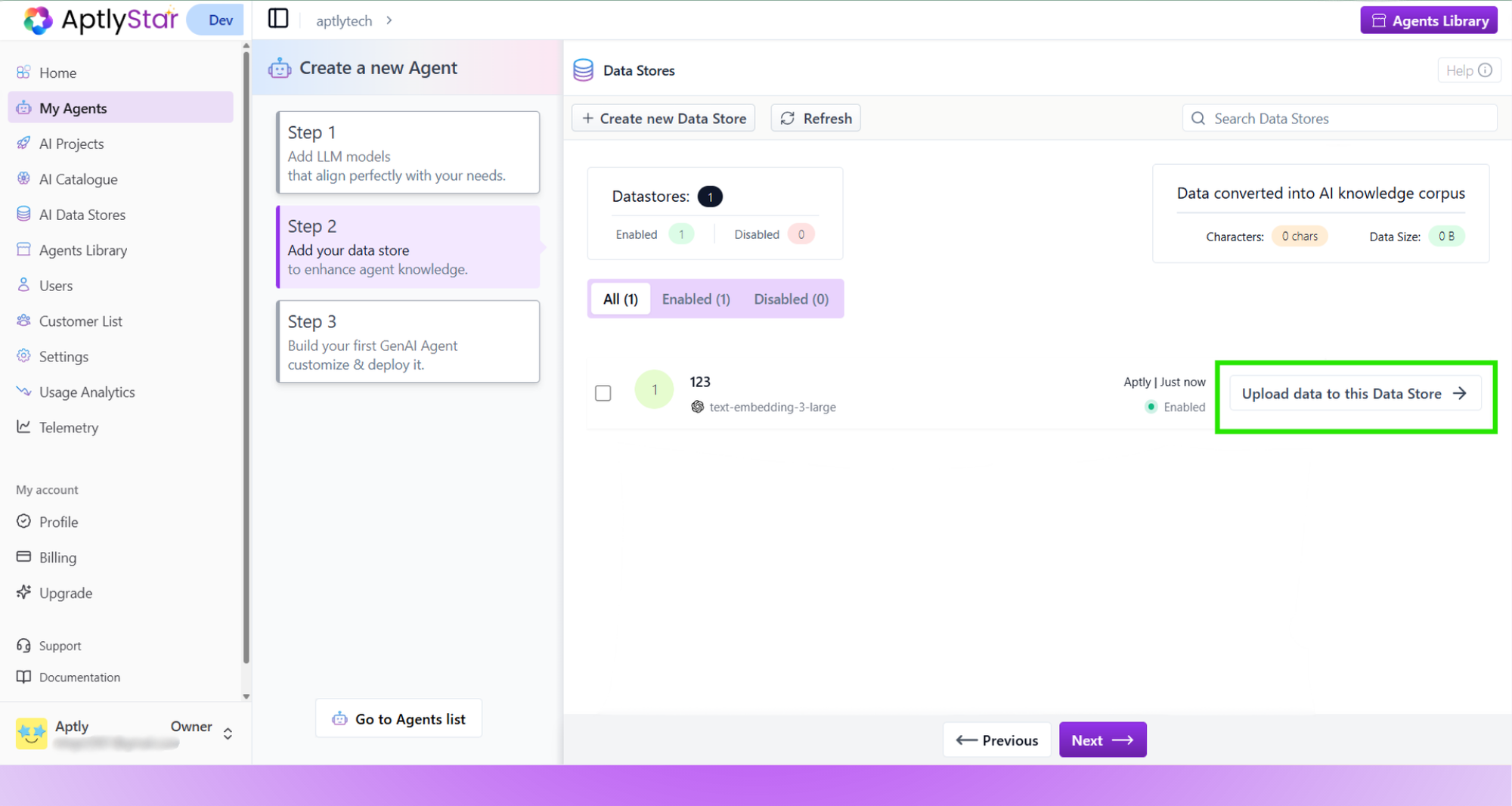
Create AI Agent: Upload Data to Store
- Choose the data source (Webpage, Text, File, YouTube, or REST API).
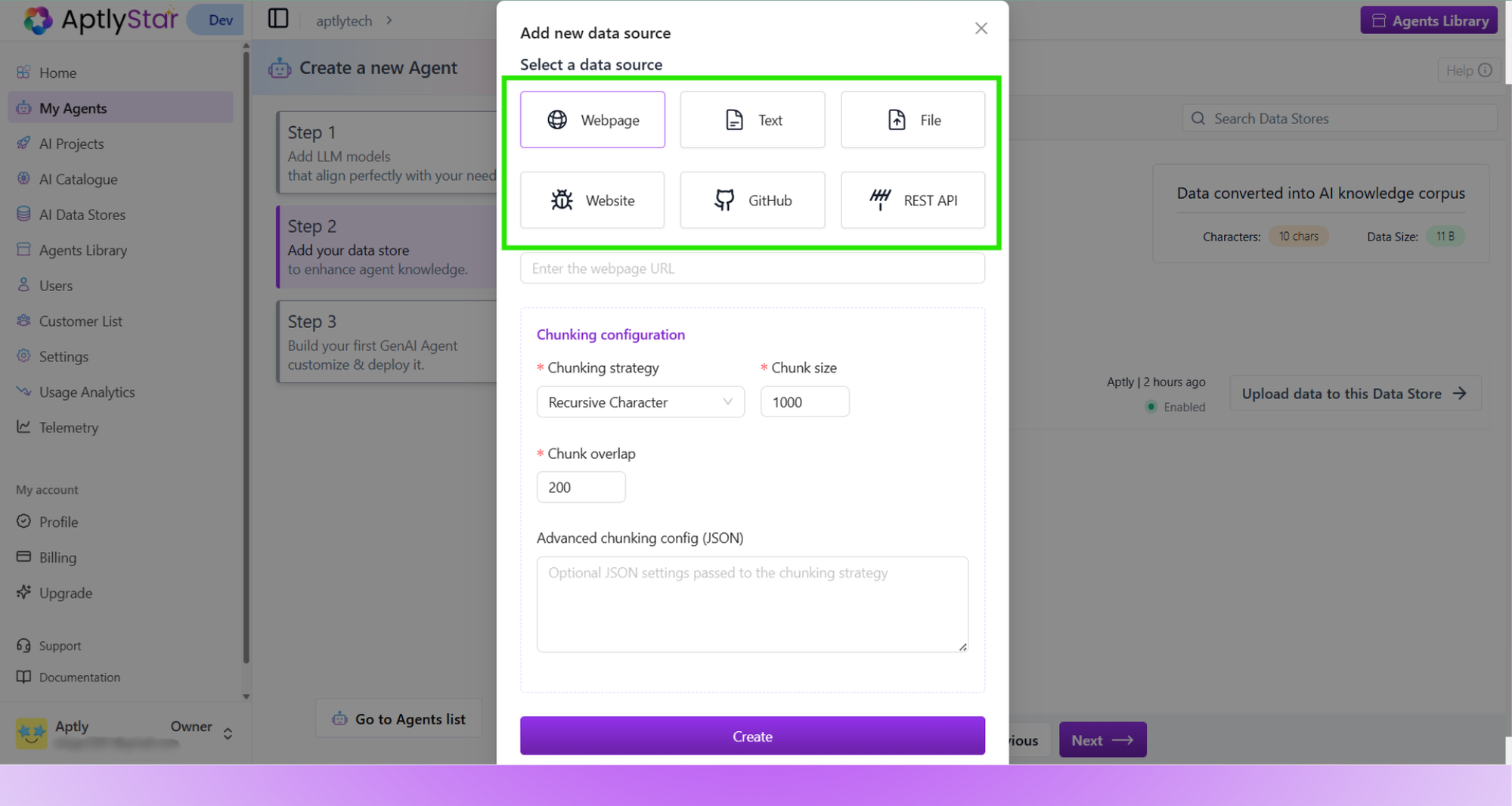
Create AI Agent: Select Data Source Type
- After uploading, select the data store to associate with your agent and click Next.
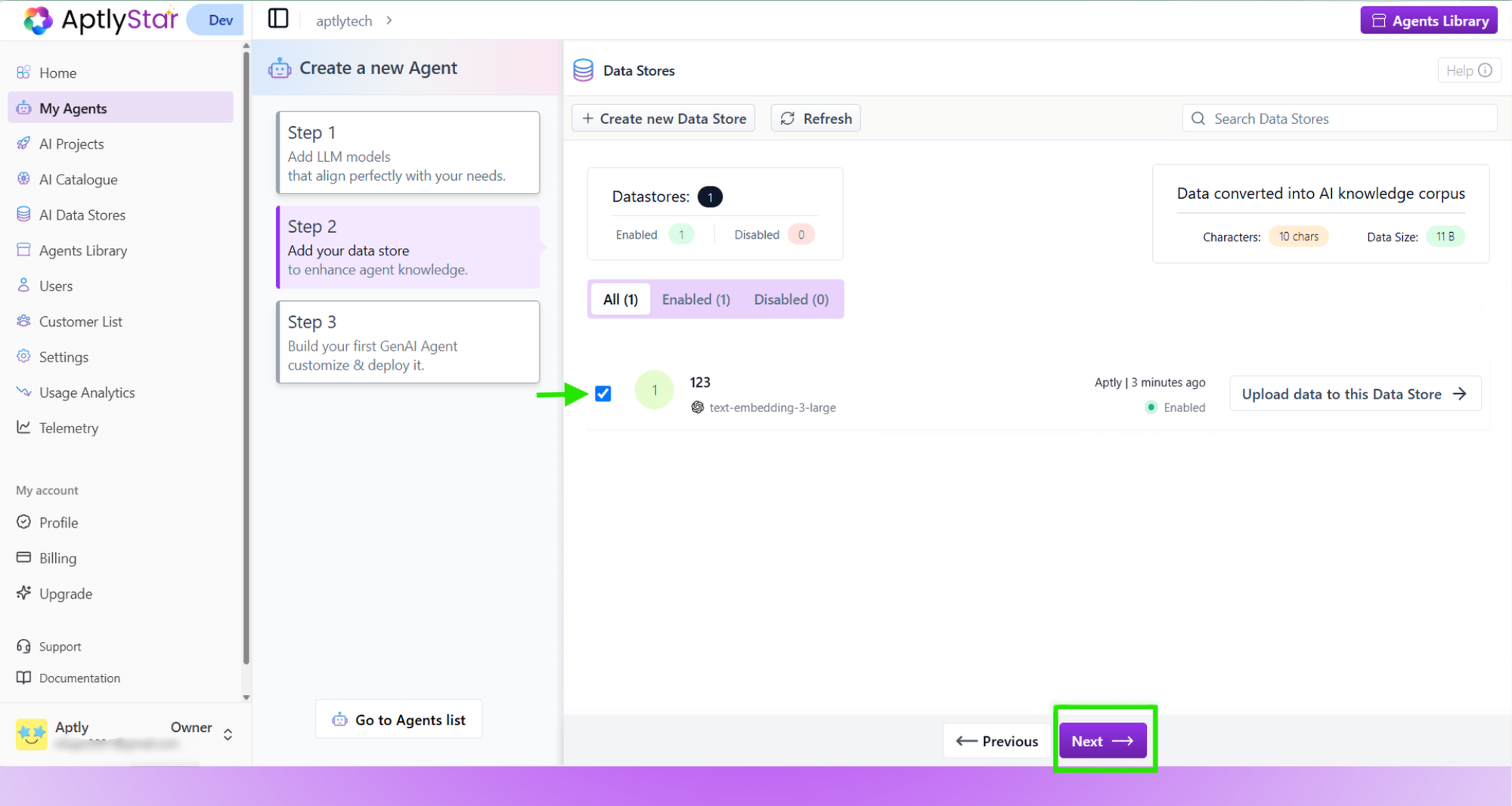
Create AI Agent: Choose Data Store
Step 3: Configure & Create Agent
- Enter a name, choose chat model, embedding model, and link your data store.
- Click Create to finish.
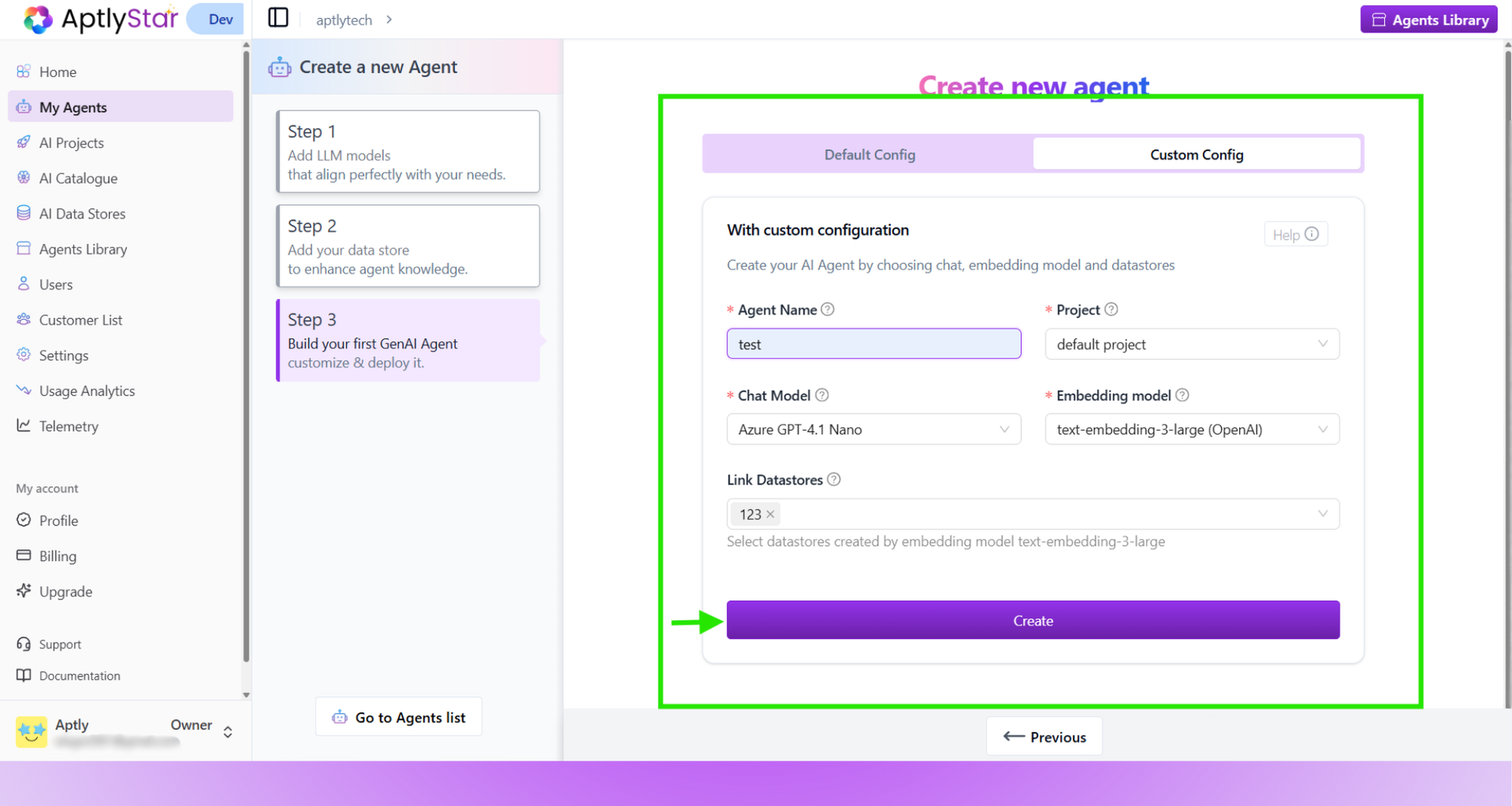
Create AI Agent: Custom Configuration
- Uses preselected models for fast setup.
- Simply click Create AI Agent.
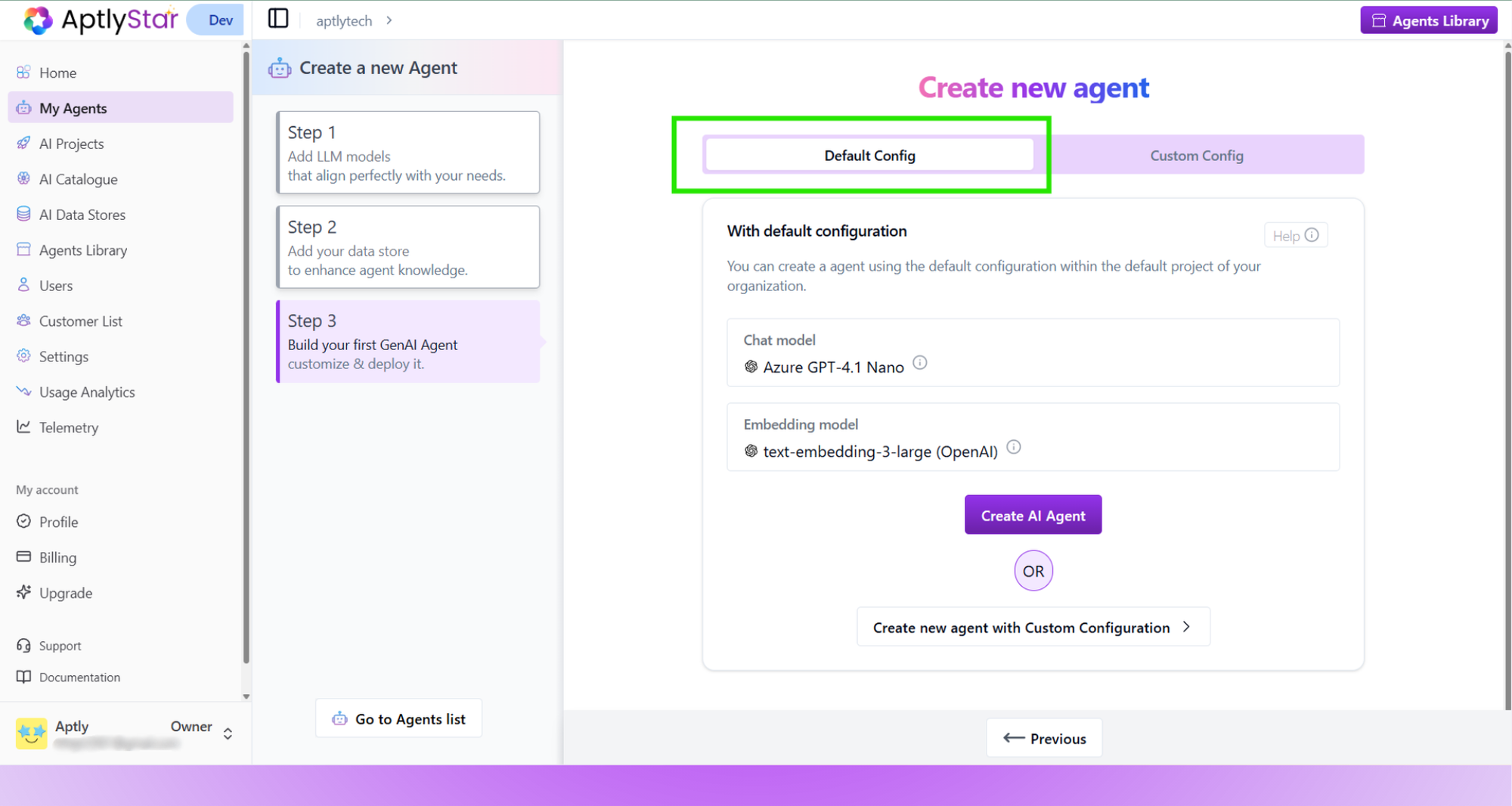
Create AI Agent: Default Configuration
Creating Agents with Ask Astra
Ask Astra provides a quick way to build agents using prompt based suggestions.Astra generates the agent configuration automatically based on the prompt you choose or write. Before using Ask Astra, make sure:
- Your project already has at least one LLM model
- And at least one embedding model
Open Ask Astra
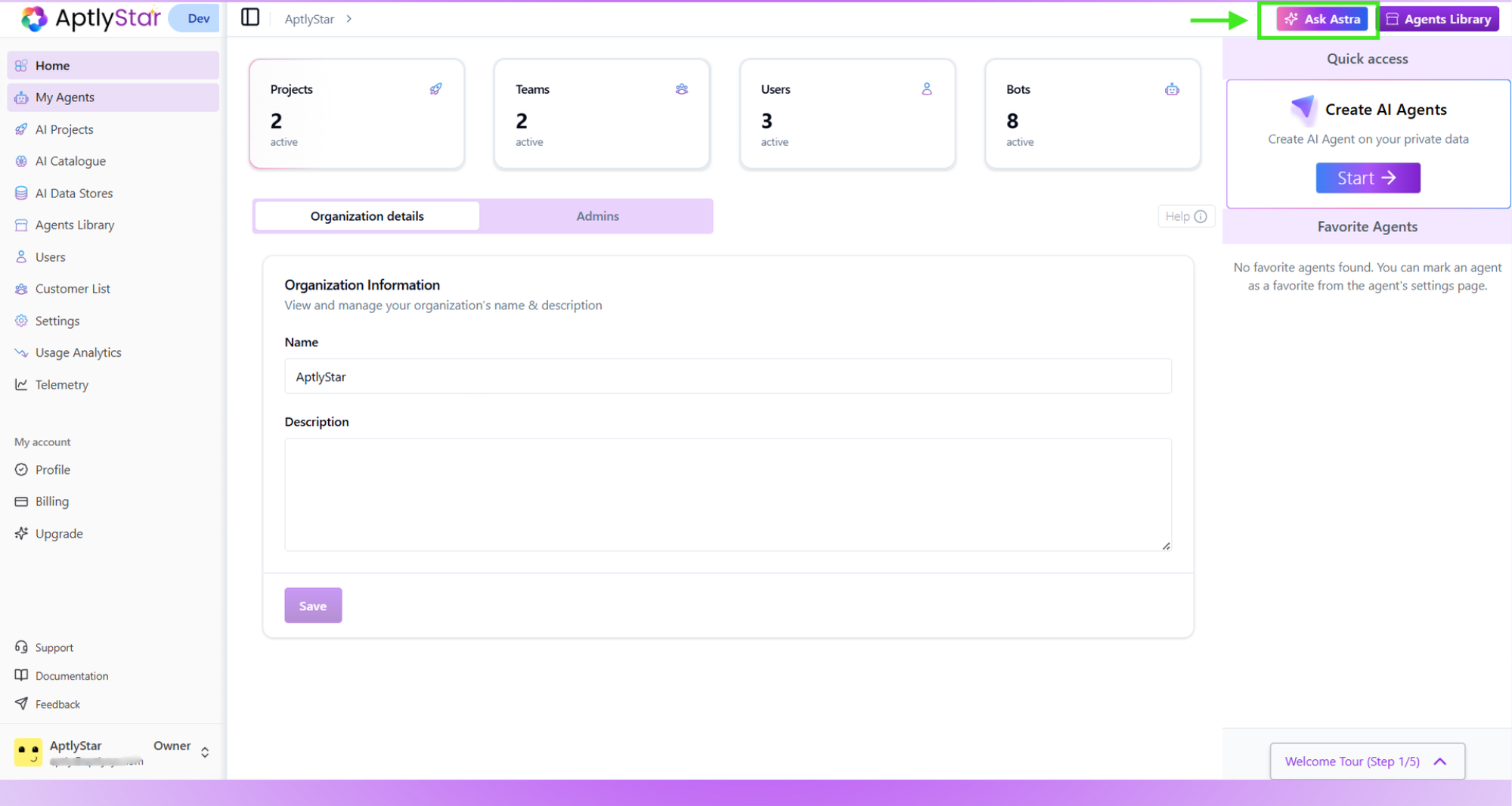
Ask Astra Entry Point
Pick a Suggested Prompt
If none of them match what you need, click Change Suggestions to shuffle and see new options.
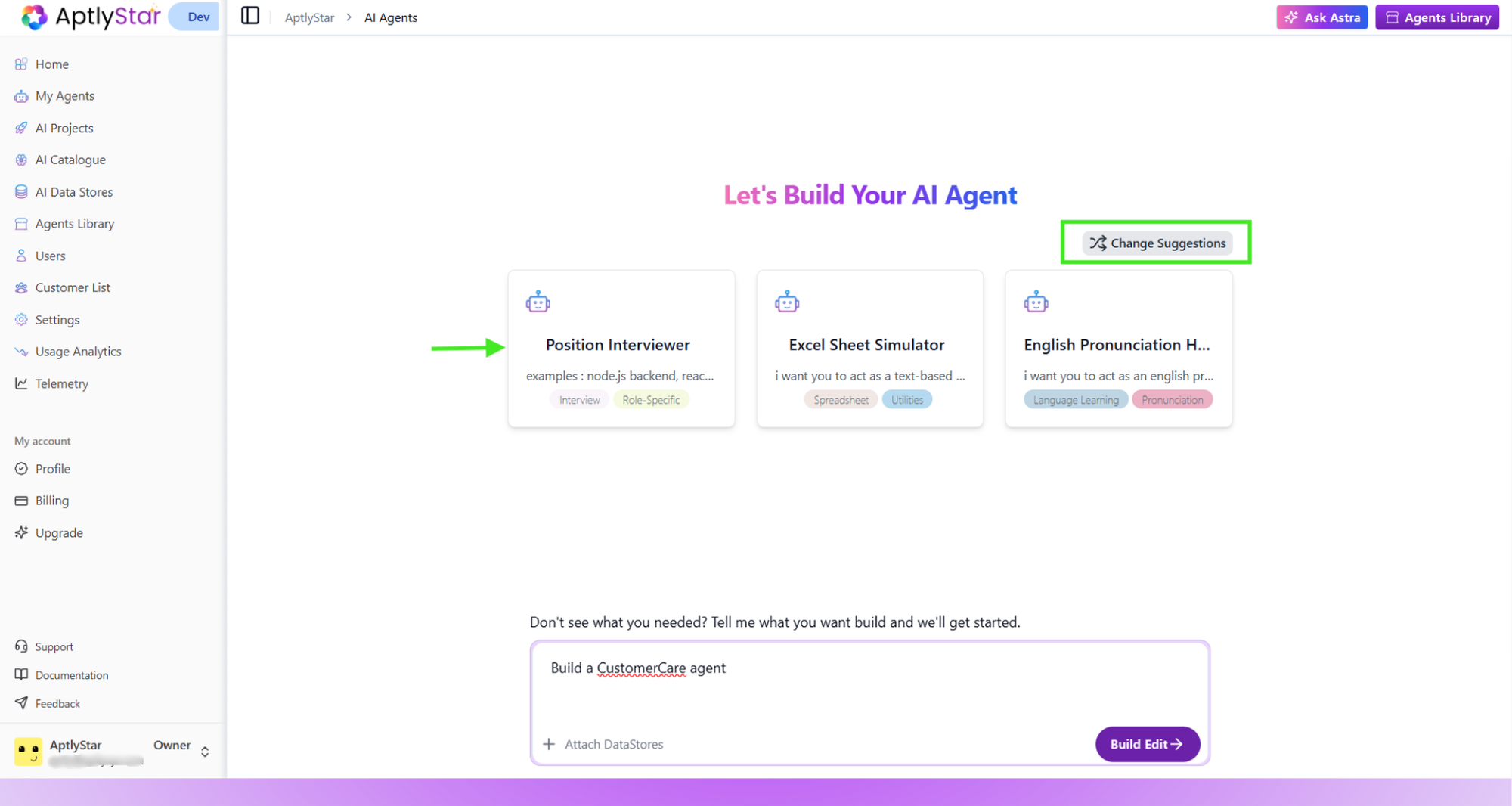
Choose a Suggested Prompt
Or Enter Your Own Custom Prompt
This is useful when your use case is more specific or not covered by the suggestions.
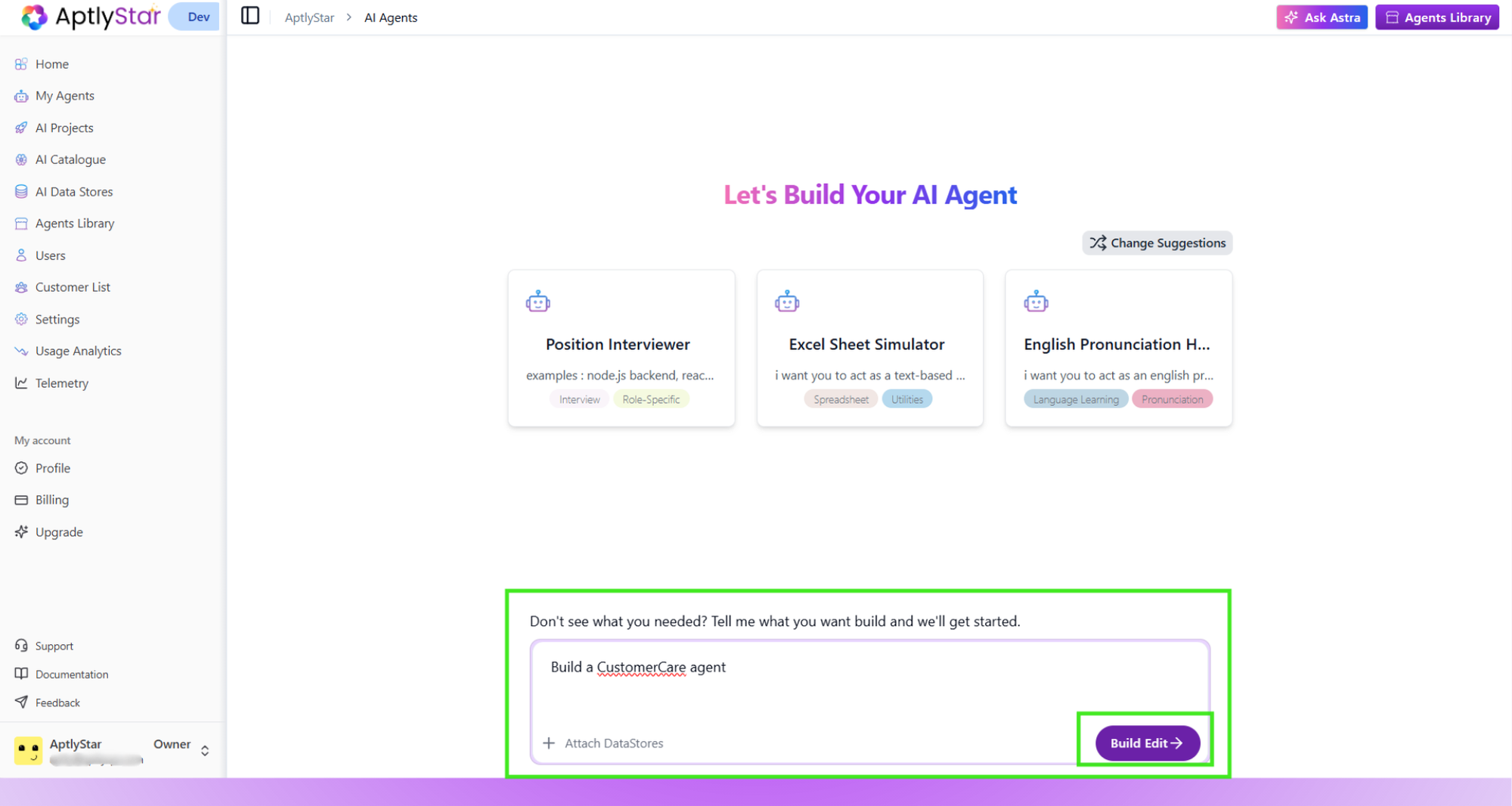
Enter a Custom Prompt
Review the Generated Agent
You can review the configuration and adjust it before creating the agent.