> ## Documentation Index
> Fetch the complete documentation index at: https://docs.aptlystar.ai/llms.txt
> Use this file to discover all available pages before exploring further.
# Home
> Understand and navigate the AptlyStar organization homepage to manage teams, users, and AI resources effectively.
## What is the Home Page?
The **Home Page** is your central hub for managing users, teams, projects, and agents in AptlyStar.ai. Each organization acts as a collaborative workspace for building and deploying AI solutions.
### Why Use an Organization?
Customize your organization to reflect your team or company structure.
Add users, assign roles, and collaborate seamlessly across teams.
Create and manage AI projects under one centralized workspace.
Keep resources, roles, and projects in sync for efficient development.
***
## What You See on the Home Dashboard
Logging into the AptlyStar portal takes you to a dashboard that summarizes your organization's key details, such as:
* Number of **teams**, **projects**, **users**, and **AI Agents**
* Your organization’s name and metadata
* Admin and ownership information
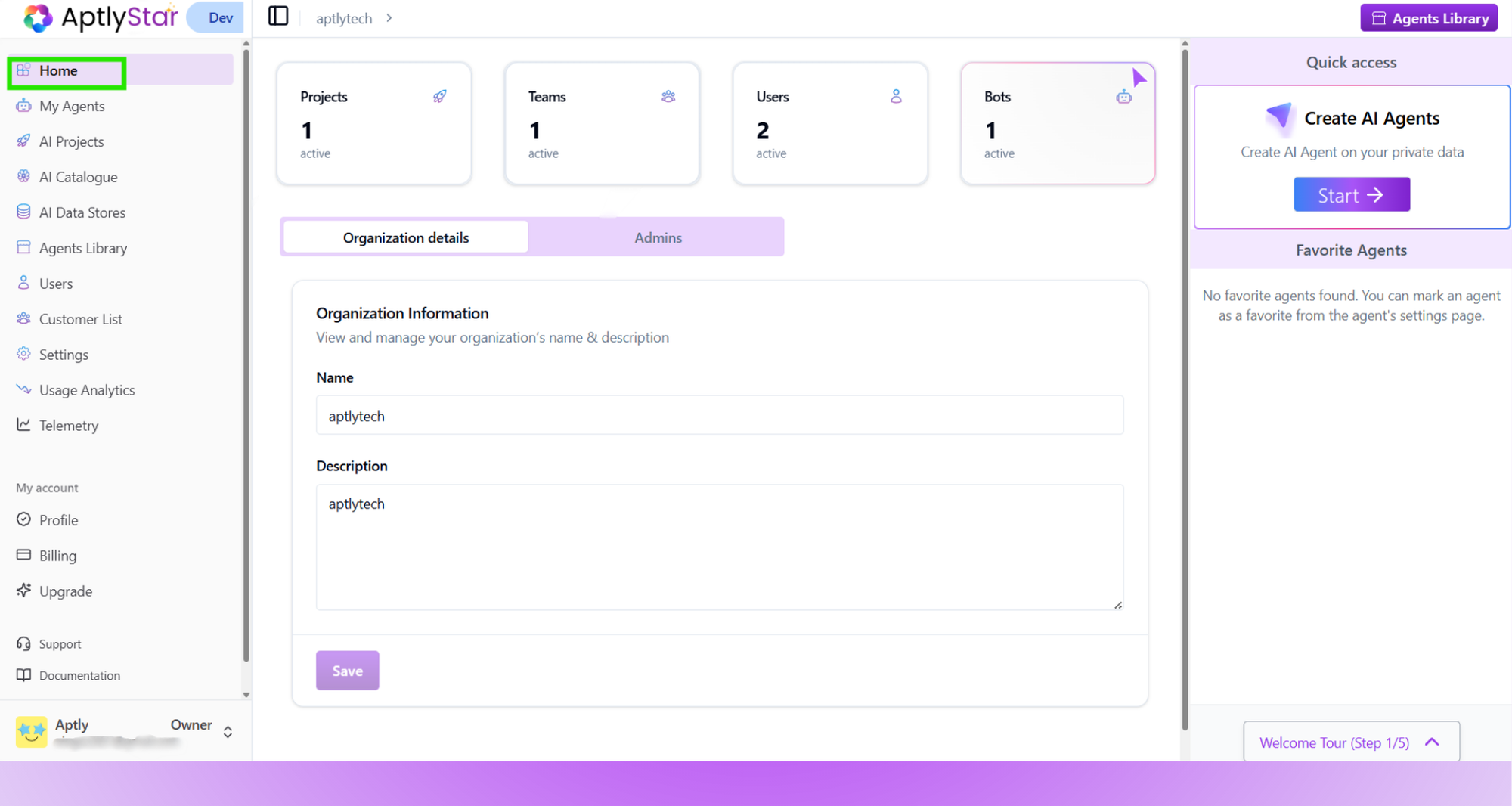 On the right side of the home dashboard, you can:
* Click **Create AI Agents** to launch new agents instantly
* View a list of your **favorite agents**
* Navigate easily to other sections like Projects, AI Models, or Users
Clicking on **Home** anytime will always bring you back to this overview.
On the right side of the home dashboard, you can:
* Click **Create AI Agents** to launch new agents instantly
* View a list of your **favorite agents**
* Navigate easily to other sections like Projects, AI Models, or Users
Clicking on **Home** anytime will always bring you back to this overview.