> ## Documentation Index
> Fetch the complete documentation index at: https://docs.aptlystar.ai/llms.txt
> Use this file to discover all available pages before exploring further.
# Deploying Pre-Built Agents from Agents Library
> Use the AptlyStar.ai Agents Library to quickly deploy ready-to-use AI agents with minimal setup.
## Why Use the AptlyStar.ai Agents Library?
The AptlyStar.ai Agents Library enables you to deploy ready-to-use AI agents with minimal setup, making it suitable for both technical and non-technical users. Focus on customization — not infrastructure.
Deploy ready-made agents instantly, with no prior technical expertise required.
Skip the setup — jump straight into customization and usage.
Access agents for various use cases and scale your projects effortlessly.
Cut down development time and costs with plug-and-play AI agents.
Seamlessly integrate AI agents into your existing workflow.
***
## Steps to Deploy Pre-Built Agents from the Agents Library
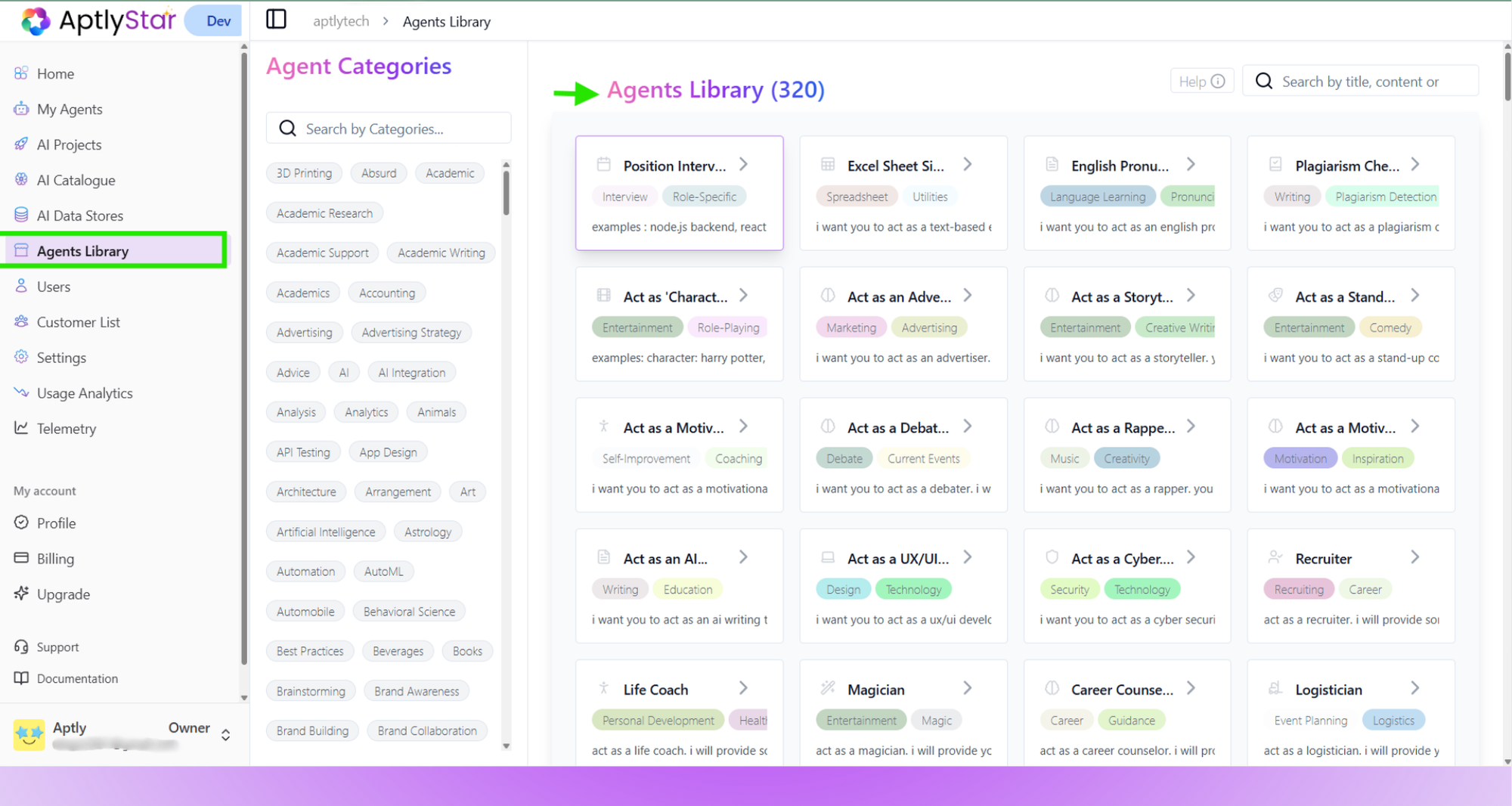
Navigate to the **Agents Library** section in the top menu of the application.\
Browse and select a **pre-built agent** that suits your use case.
 Once you select a agent, proceed to deploy it using either:
* **Default Configuration**: Uses preselected models and settings
* **Custom Configuration**: Lets you choose your own models and linked data stores
Learn more here:\
[How to Create a Agent →](https://docs.aptlystar.ai/howtocreateaiagent)
Once you select a agent, proceed to deploy it using either:
* **Default Configuration**: Uses preselected models and settings
* **Custom Configuration**: Lets you choose your own models and linked data stores
Learn more here:\
[How to Create a Agent →](https://docs.aptlystar.ai/howtocreateaiagent)
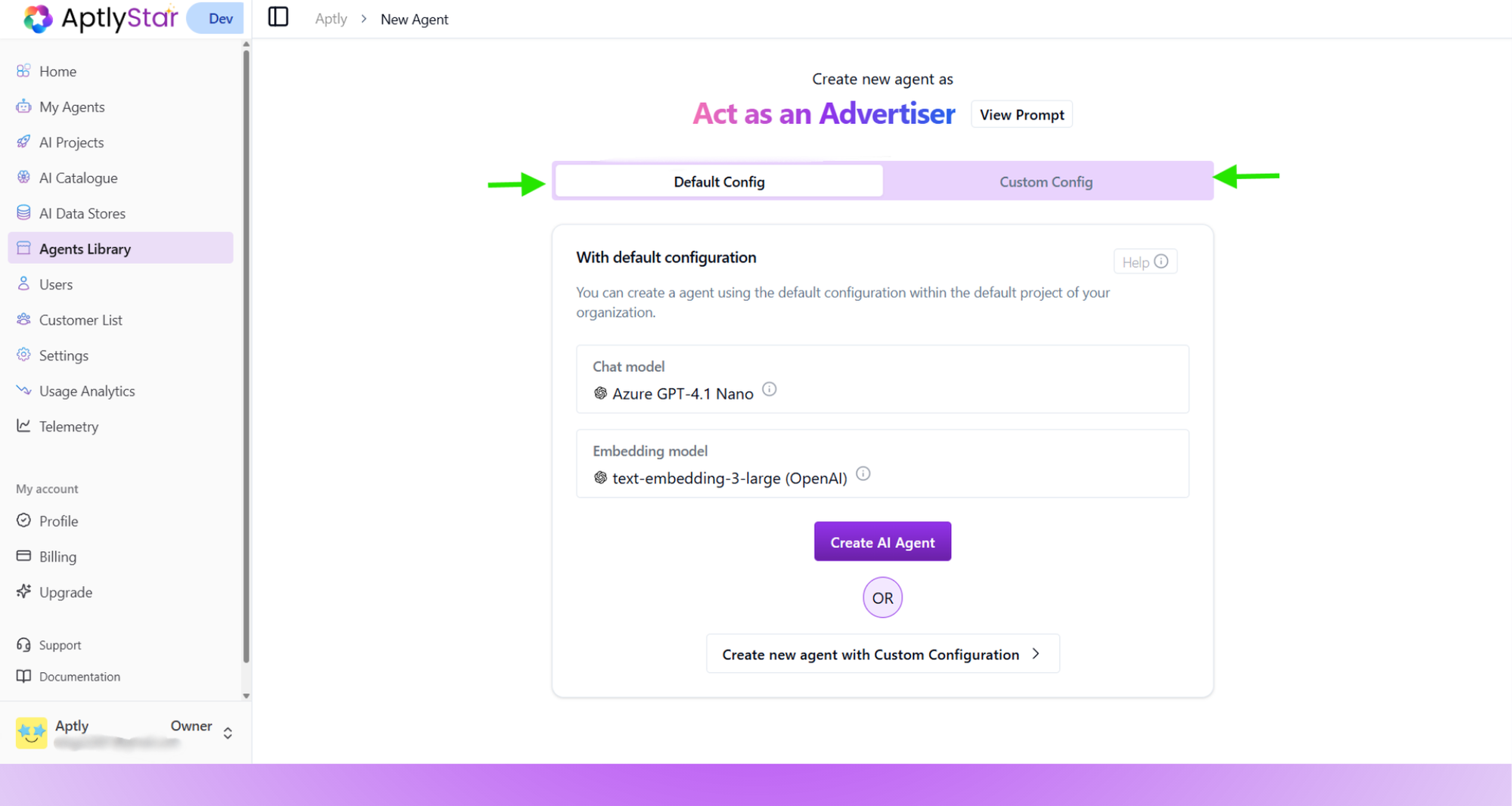 Once you click **Create AI Agent**, the pre-built agent will be deployed with the selected prompt and configuration instantly.