> ## Documentation Index
> Fetch the complete documentation index at: https://docs.aptlystar.ai/llms.txt
> Use this file to discover all available pages before exploring further.
# Billing
The **Billing** section gives you a clear view of your current subscription, payment records, and usage limits. This area is split into two tabs: **Subscription** and **Payment History**—each serving a different purpose in tracking and managing your account finances.
***
## Subscription Tab
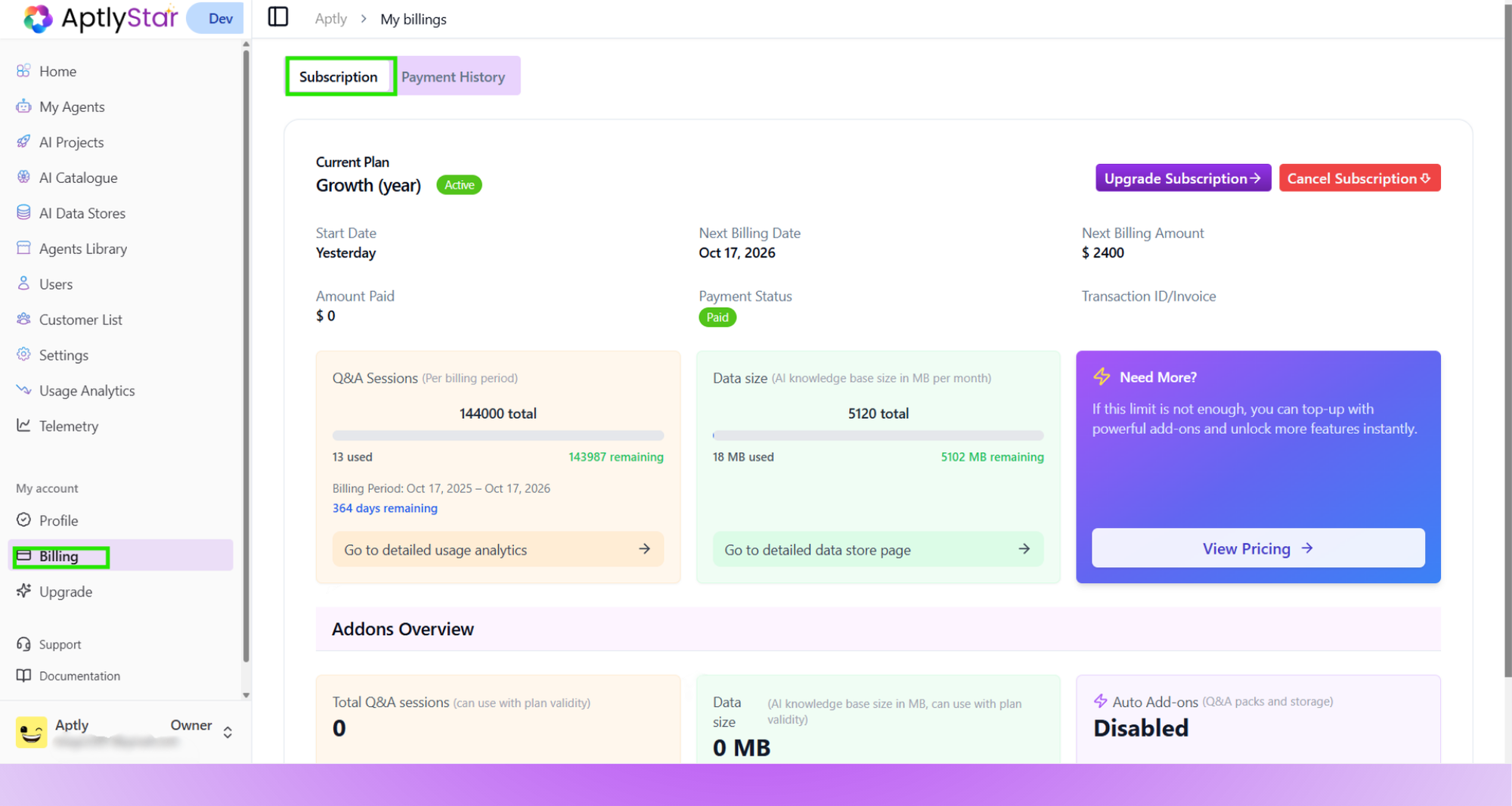
The **Subscription** tab provides a detailed summary of your active plan, including billing frequency, amount paid, renewal date, and associated limits such as Q\&A sessions and data size.
 You can also:
* View your next billing cycle and invoice status
* Check usage metrics (e.g., Q\&A sessions, data size)
* Explore upgrade options or cancel your plan
* Navigate directly to detailed analytics and data store dashboards
This tab is your go-to for understanding **current plan details** and **managing upgrades or add-ons**.
## ⚡ Auto Add-ons
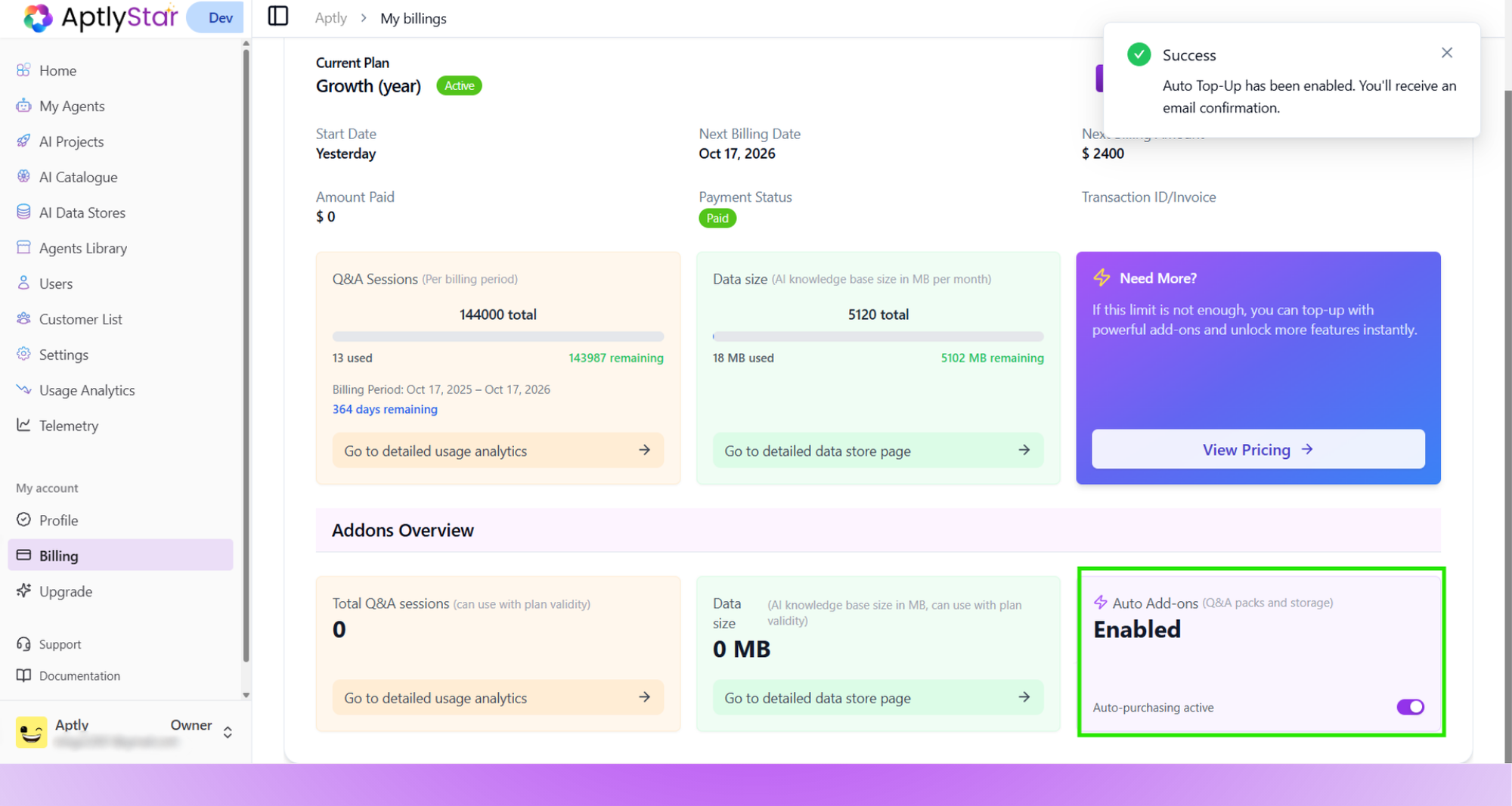
The **Auto Add-ons** feature allows automatic purchasing of extra Q\&A packs or storage when your organization reaches its plan limit.\
When enabled, the system seamlessly tops up your account — preventing service interruptions and ensuring continued access to data and AI sessions without manual action.
You can also:
* View your next billing cycle and invoice status
* Check usage metrics (e.g., Q\&A sessions, data size)
* Explore upgrade options or cancel your plan
* Navigate directly to detailed analytics and data store dashboards
This tab is your go-to for understanding **current plan details** and **managing upgrades or add-ons**.
## ⚡ Auto Add-ons
The **Auto Add-ons** feature allows automatic purchasing of extra Q\&A packs or storage when your organization reaches its plan limit.\
When enabled, the system seamlessly tops up your account — preventing service interruptions and ensuring continued access to data and AI sessions without manual action.
 ### Key Highlights
* Automatically activates additional Q\&A packs or storage once limits are reached
* Ensures uninterrupted usage even during high-traffic periods
* Sends an email confirmation each time a top-up occurs
* You can toggle this feature **on or off** at any time within the billing page
> 💡 Auto Add-ons are especially useful for teams with fluctuating workloads or dynamic data usage patterns.
***
## Payment History Tab
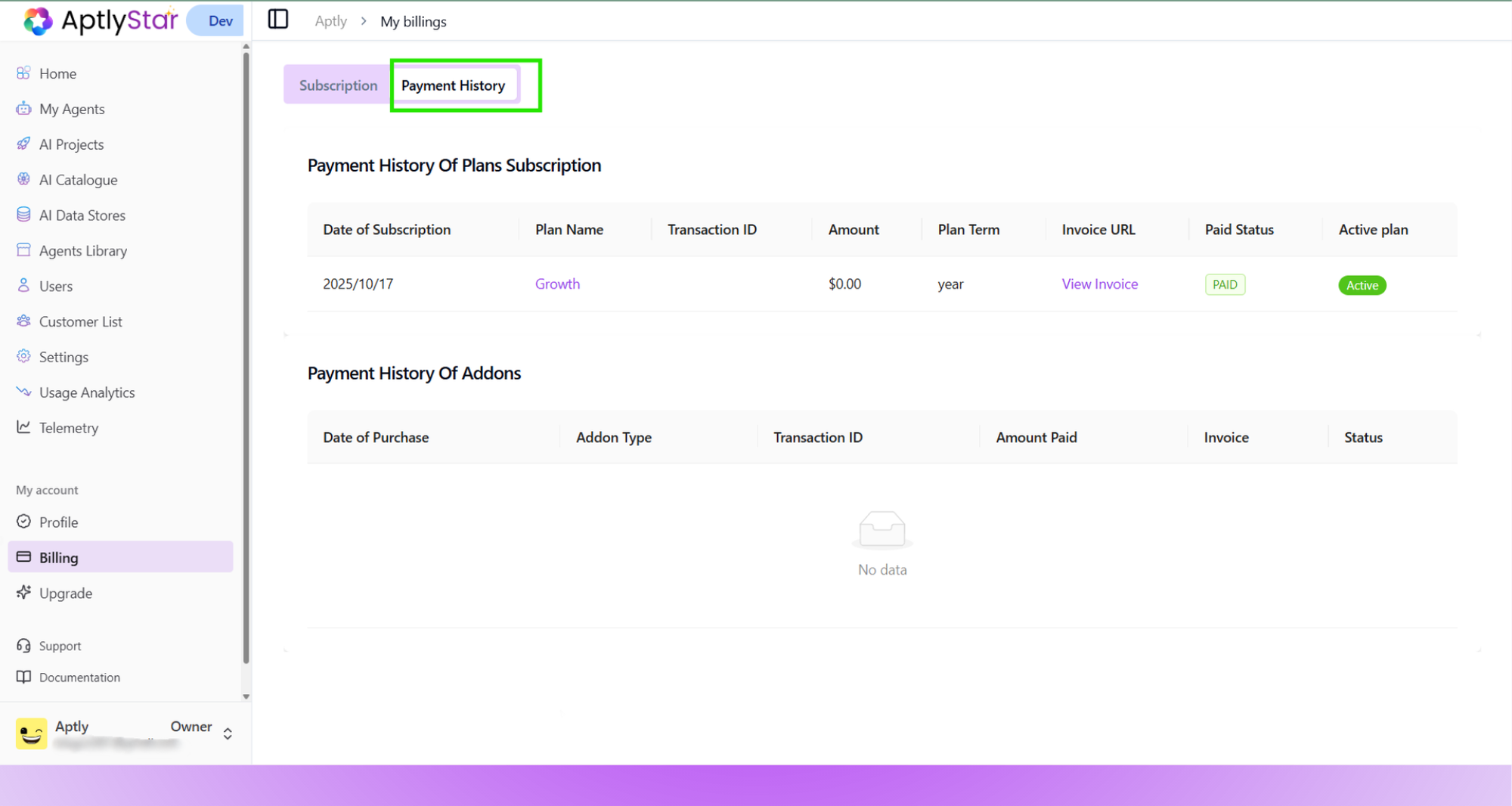
The **Payment History** tab helps you track all past transactions, both for full plan subscriptions and any purchased add-ons.
### Key Highlights
* Automatically activates additional Q\&A packs or storage once limits are reached
* Ensures uninterrupted usage even during high-traffic periods
* Sends an email confirmation each time a top-up occurs
* You can toggle this feature **on or off** at any time within the billing page
> 💡 Auto Add-ons are especially useful for teams with fluctuating workloads or dynamic data usage patterns.
***
## Payment History Tab
The **Payment History** tab helps you track all past transactions, both for full plan subscriptions and any purchased add-ons.
 It shows:
* Date of purchase or subscription
* Plan or Add-on type
* Transaction ID, invoice links
* Amount paid, billing term, and payment status
This is helpful for compliance, accounting, and ensuring your team always has access to accurate financial records.
***
It shows:
* Date of purchase or subscription
* Plan or Add-on type
* Transaction ID, invoice links
* Amount paid, billing term, and payment status
This is helpful for compliance, accounting, and ensuring your team always has access to accurate financial records.
***